Self Assessment is the system HM Revenue and Customs (HMRC) uses to collect income tax from individuals whose income isn’t automatically deducted from their income. While tax is typically automatically deducted from wages and pensions, those with additional income sources must report these earnings through a Self Assessment tax return. This blog covers everything you need about Self Assessment in the UK, from registration and filing to payment options and special considerations for the 2024-2025 tax year.
Understanding Self Assessment Tax Returns
Self Assessment is HMRC’s method for collecting Income Tax from individuals who earn income that isn’t taxed at source through PAYE. This system requires eligible taxpayers to report their income, calculate their tax liability, and ensure timely payment to avoid penalties.
Who Needs to File a Self Assessment Tax Return?
You must register for Self Assessment if:
- Your self-employment income exceeds £1,000 before tax relief deductions
- You earn more than £2,500 from renting property (or between £1,000-£2,500, requiring HMRC contact)
- You received over £2,500 in untaxed income, such as tips or commission
- Your savings or investment income was £10,000 or more before tax
- You need to pay Capital Gains Tax on profits from selling assets like shares or a second home
- You’re a company director (unless for a non-profit organization)
- You or your partner earn over £60,000 and claim Child Benefit
- You have foreign income that requires UK taxation
- Your total taxable income exceeds £150,000
- You’re a trustee of a trust or registered pension scheme
- Your State Pension was your only income source and exceeded your allowance
How to Register for Self Assessment
Registering for Self Assessment is a crucial first step before you can file your tax return. The process varies slightly depending on your employment status, but most individuals can complete registration online.

Eligibility Check
Before registering, verify that you meet the criteria requiring a Self Assessment tax return as outlined above. If you’re unsure whether you need to register, HMRC provides guidance on their website or you can contact them directly for clarification.
Step-by-Step Registration Process
The registration process varies depending on whether you’re self-employed, a company director, or a partner in a partnership:
For Self-Employed Individuals:
- Create a Government Gateway user ID through the HMRC website
- Log into your business tax account and add Self Assessment to your services
- Complete the registration form with your personal and business details
- Submit your application
Once registered, HMRC will send you an acknowledgment letter containing your Unique Taxpayer Reference (UTR), followed by an Activation Code for online services that must be used within 28 days.
For Company Directors:
If you receive income through dividends, directors’ loans, benefits, or non-PAYE-taxed expenses, you must register for Self Assessment to ensure accurate Income Tax calculation.
For Partners in Partnerships:
Both individual partners and the partnership itself must register. The nominated partner handles the partnership’s tax affairs, including submitting the partnership’s tax return.
Finding Your UTR Number
Your UTR is a 10-digit number that HMRC uses to identify you for tax purposes. After registering for Self Assessment for the first time, you’ll receive your UTR by post, typically within 10 working days if you registered online. If you’ve previously registered but lost your UTR, you can contact HMRC to retrieve it.
Filing Your Tax Return
Filing your Self Assessment tax return accurately and on time is crucial to avoid penalties and ensure compliance with tax regulations.
Online Filing: How-to Guide
Most taxpayers now file their returns online through the HMRC website. To file online:
- Log in to your HMRC online account using your Government Gateway ID
- Navigate to the Self Assessment section
- Complete each section of the tax return relevant to your circumstances
- Review your information carefully before submission
- Submit your return and make note of your submission reference
After submission, you’ll receive a calculation of your tax liability, which you can view in your online account (though note it may take up to 72 hours to appear).
Deadlines and Important Dates
Understanding and adhering to HMRC’s deadlines is essential:
- 5 October: Deadline to notify HMRC if you need to complete a tax return and haven’t filed one before
- 31 October: Deadline for paper tax returns (if you choose not to file online)
- 31 January: Deadline for online tax returns and payment of tax owed for the previous tax year
Missing these deadlines may result in penalties, which increase the longer your submission or payment is delayed.
Common Mistakes to Avoid
When filing your Self Assessment, be careful to avoid these common errors:
- Forgetting to include all sources of income
- Claiming expenses without proper documentation
- Missing deadlines for registration, filing, or payment
- Incorrectly calculating your tax liability
- Failing to keep proper records throughout the tax year
Keeping Accurate Tax Records
Proper record-keeping is foundational to accurate Self Assessment filing and can save significant time and stress when preparing your return.
Required Documents
You must maintain records of:
- All income received, including invoices, bank statements, and payment confirmations
- Business expenses with receipts and supporting documentation
- Personal pension contributions and charitable donations
- Property income and expenses if you’re a landlord
- Investment income, including dividends and interest
These records should be kept for at least 5 years after the submission deadline of the relevant tax year.
Benefits of Proper Record-Keeping
Maintaining organized records allows you to:
- Complete your tax return accurately and efficiently
- Maximize legitimate expense claims
- Provide evidence in case of an HMRC inquiry
- Track your business performance and financial position
- Plan effectively for tax payments
Obtaining SA302 Tax Calculations
Your tax calculation (form SA302) shows your total taxable income, allowances, and reliefs claimed, and the total tax due for the year. This document is often required when applying for mortgages or loans as proof of income.
To obtain your SA302:
- Log into your HMRC online account
- Navigate to the Self Assessment section
- Select “View your calculation” or “Tax calculation”
- Download or print the document as needed
If you need an official copy on HMRC letterhead (often required by mortgage lenders), you’ll need to request this specifically from HMRC.
Paying Your Self Assessment Bill
Understanding your tax bill and payment options is essential for maintaining compliance with HMRC requirements.
Understanding Your Tax Bill
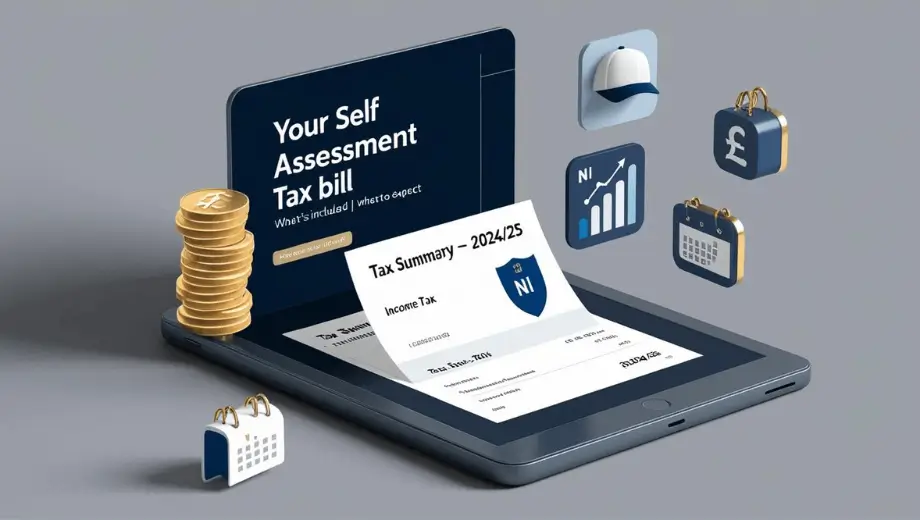
Your Self Assessment bill includes:
- Income Tax on your taxable income after allowances and reliefs
- National Insurance contributions if you’re self-employed
- Student loan repayments if applicable
- Capital Gains Tax on profits from asset sales
- High-Income Child Benefit Charge if relevant
Your bill may also include payments on account toward your next tax year’s liability, which are usually two installments each equal to 50% of your previous year’s tax bill.
Payment Methods and Deadlines
You can pay your Self Assessment tax bill through various methods:
- Online or telephone banking
- CHAPS
- Debit card online
- Direct Debit
- At your bank or building society
- By checking through the post
The main payment deadline is January 31st following the tax year. If you make payments on account, the second installment is due by July 31st.
Options If You Cannot Pay on Time
If you’re struggling to pay your tax bill, contact HMRC as soon as possible to discuss your options:
- Time to Pay arrangement: HMRC may allow you to pay in installments if you’re experiencing genuine financial difficulty
- Budget Payment Plan: This allows you to make regular payments toward your future tax bill
- Hardship applications: In exceptional circumstances, HMRC may consider reducing your tax liability
It’s always better to contact HMRC proactively rather than ignoring payment deadlines, as this can help minimize penalties and interest charges.
Capital Allowances Explained
Capital allowances provide tax relief for capital expenditure on business assets, reducing your taxable income and therefore your tax liability.
How to Claim Capital Allowances
Capital allowances can be claimed on your Self Assessment tax return for qualifying capital expenditure. These are expenses on assets that have a lasting benefit to your business, rather than day-to-day running costs.
To claim:
- Identify qualifying expenditure on your business assets
- Calculate the appropriate allowance based on the type of asset
- Enter the details in the capital allowances section of your tax return
Types of Capital Allowances
The two main types of capital allowances are:
- Plant and machinery allowances: For equipment, machinery, vehicles, and similar assets used in your business
- Structures and buildings allowances: For construction or renovation of non-residential structures and buildings
The rates and amounts you can claim vary depending on the type of asset and when it was purchased, with some investments qualifying for enhanced relief through schemes like the Annual Investment Allowance.
Writing Down Allowances Explained
For assets that don’t qualify for full relief in the year of purchase, writing down allowances allows you to deduct a percentage of the remaining value each year:
- Main rate assets: 18% per year
- Special rate assets (like integral features of buildings): 6% per year
These percentages are applied on a reducing balance basis, meaning the allowance is calculated on the remaining balance after previous years’ allowances have been deducted.
Simplified Expenses for the Self-Employed
Simplified expenses offer a straightforward alternative to calculating actual business costs for certain expenses, potentially saving time and reducing complexity.
Benefits and Eligibility
Simplified expenses can be used by:
- Sole traders
- Business partnerships without companies as partners
They cannot be used by limited companies or business partnerships involving limited companies.
The primary benefits include:
- Reduced record-keeping requirements
- Simplified tax return preparation
- Potentially higher allowable expenses in some cases
How to Use Simplified Expenses
You can use flat rates for:
- Business vehicle costs: Instead of calculating actual expenses, you record business mileage and apply a flat rate per mile
- Working from home: Apply a flat monthly rate based on the number of hours worked from home
Living at your business premises: Use flat rates based on the number of people living at the premises
To use simplified expenses:
- Keep records of your business miles, hours worked at home, or people living at your business premises
- At the end of the tax year, apply the relevant flat rates to calculate your expenses
- Include these amounts in your Self Assessment tax return
HMRC provides a simplified expenses checker tool that allows you to compare what you can claim using simplified expenses versus actual costs, helping you determine which method is more beneficial for your situation.
Tax Refunds, Appeals & Penalties
Understanding how to handle tax refunds, appeal decisions, and navigate potential penalties is an important aspect of managing your Self Assessment obligations.
Claiming a Tax Refund
You may be due a tax refund if you’ve:
- Paid too much tax
- Made a loss that can be carried back to a previous year
- Claimed allowances or reliefs that reduce your previous tax liability
Refunds are typically processed automatically after you submit your Self Assessment return if you’ve overpaid. You can check the status of any refund through your HMRC online account.
Disputing Tax Decisions and Penalties
If you disagree with an HMRC decision regarding your tax calculation or a penalty:
- First, contact HMRC directly to discuss the issue
- If still unresolved, request a formal review by a different HMRC officer
- Appeal to the independent tax tribunal if necessary
You typically have 30 days from the date of HMRC’s decision to appeal.
Calculating Penalties for Late Submissions/Payments
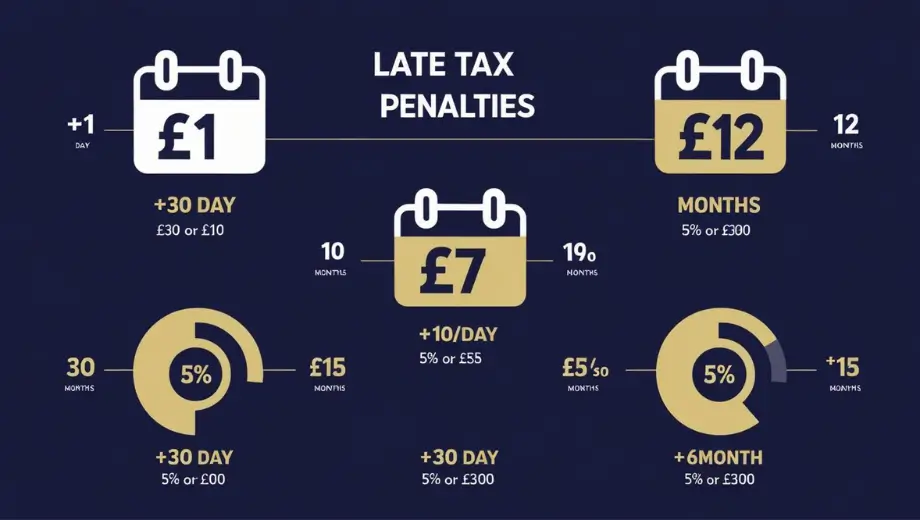
HMRC imposes penalties for:
- Late filing:
- 1 day late: £100 fixed penalty
- 3 months late: Additional £10 daily penalties (up to £900)
- 6 months late: An additional 5% of the tax due or £300, whichever is greater
- 12 months late: An additional 5% of the tax due or £300, whichever is greater
- Late payment:
- 30 days late: 5% of tax unpaid
- 6 months late: Additional 5% of tax unpaid
- 12 months late: Additional 5% of tax unpaid
Interest is also charged on both late payments and penalties.
High-Income Child Benefit Charge
The High Income Child Benefit Charge (HICBC) affects individuals or their partners who claim Child Benefit and have an adjusted net income of over £60,000 per year.
Explanation and Eligibility Criteria
If your adjusted net income is:
- Between £50,000 and £60,000: You’ll pay a proportion of the Child Benefit as a tax charge
- Over £60,000: The tax charge equals 100% of the Child Benefit received
This charge is designed to gradually withdraw Child Benefit from higher-income families, though the benefit itself can still be claimed.
How It Impacts Your Tax Return
If you’re subject to the HICBC:
- You must register for Self Assessment (if not already registered)
- Complete the specific section of your tax return relating to Child Benefit
- Calculate the charge based on your income and the amount of Child Benefit received
- Pay the charge along with your other tax liabilities
You can opt out of receiving Child Benefits to avoid the charge and associated administration, but claiming and paying the charge maintains National Insurance credits that may be important for state pension entitlement.
Useful Forms and Resources
Navigating Self Assessment is easier with access to the right forms and resources provided by HMRC and other reliable sources.
Accessing Necessary Forms
Key Self Assessment forms include:
- SA100: The main Self Assessment tax return
- SA102: For employment income
- SA103: For self-employment income
- SA105: For UK property income
- SA108: For capital gains
- SA109: For overseas income
These can be accessed through your HMRC online account or requested in paper format if necessary.
Helpsheets and Additional Support Materials
HMRC provides numerous resources to help taxpayers:
- Helpsheets covering specific aspects of Self Assessment
- Online tutorials and webinars
- The Self Assessment helpline: 0300 200 3310
- GOV.UK guidance pages with detailed information
Additionally, organizations like MoneyHelper offer independent guidance on completing tax returns and managing your tax affairs.
Takeaway
Managing your Self Assessment tax obligations effectively requires understanding the system, staying organized with record-keeping, and adhering to deadlines. By familiarizing yourself with the registration process, filing requirements, payment options, and available reliefs like capital allowances and simplified expenses, you can navigate your tax responsibilities with confidence and minimize stress.
Remember that HMRC provides comprehensive resources to assist taxpayers, and seeking professional advice for complex situations is often worthwhile. Staying proactive with your tax affairs not only helps avoid penalties but can also ensure you’re claiming all eligible allowances and reliefs, potentially reducing your overall tax liability.
For the most up-to-date and authoritative information, regularly check the official GOV.UK website, where you can access detailed guidance on all aspects of Self Assessment and other tax matters.
Read More- UK National Insurance 2025: Contributions, Rates & Benefits
FAQs
1. When is the deadline to register for Self Assessment?
You must register by October 5th in the year following the end of the tax year in which you have income to report that requires Self Assessment.
2. How long does it take to get a UTR number?
After registering for Self Assessment, you’ll typically receive your UTR within 10 working days if you register online, though it may take longer if you register by mail.
3. Can I re-register for Self Assessment if I’ve previously registered?
Yes, if you’ve previously registered but didn’t submit a tax return in the last tax year, you must re-register. You can do this online using your existing UTR.
4. What records do I need to keep for Self Assessment?
You should keep records of all income, expenses, sales and purchases, personal pension contributions, charitable donations, and any other information relevant to your tax return. These records should be kept for at least 5 years after the submission deadline.
5. What if I can’t afford to pay my tax bill?
Contact HMRC as soon as possible to discuss your options, which may include setting up a Time to Pay arrangement to spread your payments. Being proactive can help minimize additional penalties and interest.
Related Posts

Previous Post
Next Post







- Business
 5
5 - Cricket5
- Department for Education49
- Departments3
- Driving and Transport
 53
53 - Education45
- Finance6
- Football13
- Golf3
- Government
 108
108 - Guides1
- Health4
- Health
 5
5 - International Politics9
- Law and Justice31
- Money and Tax23
- National Politics4
- News68
- Politics6
- Sports38
- Technology5
- Tennis3
- Transportation4
- Uncategorized4
- Visa
 17
17 - Visas and Immigration
 24
24 - Weather1